
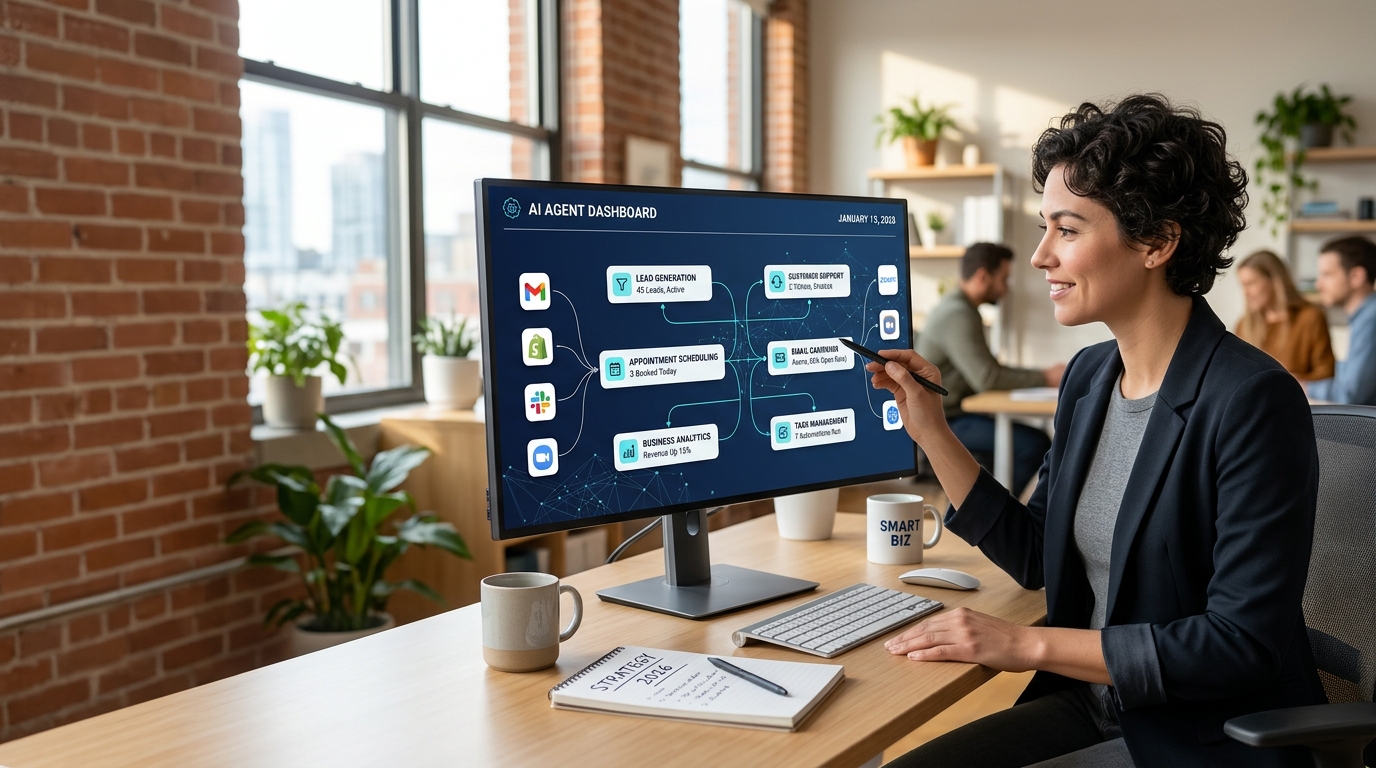
7 Best AI Agents for Small Business in 2026: Automate Tasks and Save Time
Small businesses are under constant pressure to do more with limited time, smaller teams, and tighter budgets. Owners must respond to customer inquiries, manage appointments, follow up with leads, create marketing content, and keep daily operations running smoothly. These responsibilities can quickly become overwhelming.
In 2026, AI agents are opening up a practical new way to manage repetitive business tasks. Instead of simply generating text or answering questions, an AI agent can work through a sequence of steps, use connected tools, organize information, and help complete a defined business process.
For example, a business could use an AI agent to collect information from a new inquiry, prepare a personalized response, update a customer record, and remind a team member to follow up. The owner still defines the rules and reviews important decisions, but less time is spent handling repetitive work manually.
This guide explores seven useful AI agent tools and platforms, practical small-business applications, setup strategies, costs to consider, and mistakes to avoid. Whether you run a service business, online store, marketing agency, or solo operation, you will learn how to identify the right tasks to automate without making your business unnecessarily complicated.
Quick Answer: What Are the Best AI Agents for Small Business in 2026?
The best AI agent depends on the task you want to improve. Some platforms focus on business knowledge and project management, while others connect applications, automate workflows, handle customer inquiries, or provide voice-based assistance.
Here are seven platforms worth evaluating:
- Zapier: Connecting business apps and automating workflows.
- Make: Building visual, multi-step automation scenarios.
- n8n: Creating flexible workflows with greater technical control.
- HubSpot: Organizing customer relationships and sales processes.
- Microsoft Copilot: Supporting work across Microsoft business applications.
- Jotform AI Agents: Building AI-powered interactions around forms and business processes.
- Synthflow AI: Exploring AI voice agents for phone-based customer service.
These are not seven identical products, and they are not ranked by a single independent performance test. Some are automation platforms, some are business software with AI capabilities, and others specialize in voice agents. The right choice depends on your existing software, budget, technical skills, and the level of human supervision your workflow requires.
Why AI Agents Matter for Small Businesses in 2026
AI adoption is moving beyond experimentation. Businesses increasingly want technology that helps complete work rather than simply provide suggestions.
The 2026 Empowering Small Business Report from the U.S. Chamber of Commerce reports that 66% of surveyed U.S. small businesses use AI. Separately, Pax8’s Q3 2026 SMB AI Pulse Report highlights growing use of AI-built workflows and agents, alongside concerns about security, governance, and unexpected costs.
These reports suggest an important opportunity: businesses need practical ways to introduce AI into everyday operations while maintaining control.
1. Small Teams Need More Operational Capacity
A small company may not have dedicated employees for sales operations, customer service, reporting, and marketing. The owner often handles several roles simultaneously.
An AI agent can help with tasks such as categorizing inquiries, preparing email replies, organizing project information, and drafting follow-up messages. When these tasks are connected into a workflow, the business may reduce repetitive manual work.
2. Customers Expect Faster Responses
Customers often contact several businesses before choosing one. A delayed reply can mean a lost opportunity.
AI-supported customer service can help answer routine questions, collect contact details, and direct complicated requests to a human representative. For businesses that receive frequent inquiries, even a well-designed first-response workflow can make communication more consistent.
3. Business Software Is Becoming More Connected
Many companies already use separate tools for email, calendars, customer records, forms, invoices, and marketing. AI agents and automation platforms can connect some of these systems so information moves between them with less manual copying.
However, a connected workflow is only useful when the information is accurate, permissions are appropriate, and failures can be detected.
AI Agent vs. Chatbot vs. Traditional Automation
These terms are often used interchangeably, but they describe different approaches.
| Technology | Main purpose | Example |
|---|---|---|
| Traditional automation | Follows predefined rules | Send an email when a form is submitted |
| AI chatbot | Responds conversationally | Answer questions about a service |
| AI agent | Works toward a goal through multiple steps | Review an inquiry, classify it, prepare a response, and update a CRM |
| Human-assisted AI workflow | Combines automated work with human approval | Draft a quotation and request approval before sending it |
An AI agent may use traditional automation and conversational AI together. Not every feature marketed as an agent can independently perform every step, so always verify the actual capabilities of a platform.
7 Best AI Agents and Platforms for Small Business
1. Zapier — Best for Connecting Business Apps
Visit Zapier’s official website
Zapier is a popular automation platform that connects supported applications. It is particularly useful for businesses that want to move information between tools without building a custom integration from scratch.
For example, a web design agency might receive a project inquiry through a form. A workflow could create a lead record, notify the sales team, prepare a follow-up draft, and add a reminder to a task manager.
What can you automate with Zapier?
- Lead collection and organization.
- Form submissions and notifications.
- Email and calendar workflows.
- Customer onboarding steps.
- Data transfer between supported applications.
Practical example
Imagine a consultant receives ten inquiries through a website. Instead of manually copying every inquiry into a spreadsheet, an automation can record the details and notify the consultant when a new lead arrives.
AI features may also help classify or process information, depending on the available integrations and plan.
Best for: Beginners and small teams that already use several online applications.
Important limitation: Complex workflows may require paid tasks, premium integrations, or additional AI usage. Check current plan limits and pricing before committing.
2. Make — Best for Visual Multi-Step Workflows
Make provides a visual environment for building workflows between connected applications. Its scenario builder allows users to define triggers, actions, conditions, and data transformations.
A small marketing agency could use it to process campaign inquiries, organize lead details, prepare a report, and notify the relevant account manager.
What makes Make useful?
- Visual workflow design.
- Conditional routing.
- Connections between supported applications.
- Data transformation and filtering.
- Multi-step business processes.
Practical example: Lead qualification
A prospect submits a form asking about digital marketing services. A workflow could organize the submitted details, classify the inquiry using an AI service, and route it to the appropriate team.
If the lead meets predefined criteria, the system could prepare a priority notification. If information is missing, it could flag the record for review.
Best for: Business owners who prefer seeing how a workflow operates rather than managing every step through code.
Important limitation: Complex scenarios can become difficult to maintain. Test error handling, duplicate records, and usage costs before using the workflow for critical operations.
3. n8n — Best for Flexible Workflow Automation
n8n is a workflow automation platform that provides visual workflow building, integrations, and options for more technical customization.
It can be particularly useful when a business needs a custom process involving an AI model, a database, an API, and several business applications.
Useful applications
- AI-assisted document processing.
- Internal knowledge workflows.
- Lead enrichment using authorized data sources.
- Customer support routing.
- Reporting and notifications.
- Connecting AI models to existing systems.
Practical example: An AI research assistant
A business could create a workflow that accepts a research question, gathers information from approved sources, organizes the results, and prepares a draft report for an employee to review.
The agent should distinguish verified facts from uncertain information and include source links when appropriate.
Best for: Technically confident founders, automation consultants, and agencies building customized solutions.
Important limitation: Self-hosting requires maintenance, updates, backups, and security controls. Hosted services may have different costs and usage limits. Review the current n8n pricing and plans before selecting an option.
4. HubSpot — Best for Customer Relationships and Sales
Visit HubSpot’s official website
HubSpot provides customer relationship management software and related marketing, sales, and customer service features. Depending on the product and subscription, AI capabilities can support activities such as preparing content, organizing customer information, and assisting sales teams.
For a small service company, a CRM can provide a clearer view of each prospect’s status, previous conversations, and next action.
What can a business improve?
- Lead management.
- Sales follow-up.
- Customer communication.
- Marketing workflows.
- Service and support processes.
- Visibility into sales opportunities.
Practical example: Following up on a proposal
After a sales representative sends a proposal, the team can use its CRM to track the opportunity and schedule a reminder. AI can help prepare a personalized follow-up draft based on approved information.
The employee should review the message before it is sent, particularly when pricing, contract terms, or commitments are involved.
Best for: Businesses that need an organized sales pipeline rather than a collection of disconnected spreadsheets.
Important limitation: Available AI features, automation limits, and pricing depend on the specific HubSpot product and plan. Check the official plan details before building a workflow around a paid feature.
5. Microsoft Copilot — Best for Microsoft-Based Businesses
Visit Microsoft Copilot for business
Businesses already using Microsoft 365 may find it useful to explore Copilot features that support work across eligible Microsoft applications.
Depending on the product, license, and configuration, these capabilities can assist with document creation, meeting summaries, information retrieval, and work connected to organizational data.
Potential business uses
- Preparing meeting summaries.
- Drafting proposals and business documents.
- Summarizing eligible business information.
- Supporting spreadsheet analysis.
- Organizing tasks and communications.
Practical example: Meeting follow-up
After a client meeting, an employee could use available AI features to summarize notes, identify action items, and prepare a follow-up email draft.
The employee can then verify names, deadlines, commitments, and sensitive details before sharing the result.
Best for: Small businesses that already rely on Microsoft applications and want AI support within their existing work environment.
Important limitation: Microsoft Copilot is not one universal product with identical capabilities everywhere. Licensing, data access, administrative settings, and available integrations matter. Confirm that the specific feature you need is included in your subscription.
6. Jotform AI Agents — Best for Forms and Customer Interactions
Jotform offers tools for creating forms and other business interactions, including AI-related capabilities. Its AI agent offering may be useful for businesses that collect information through forms or need guided interactions with customers.
Possible applications include helping visitors navigate information, collecting preliminary details, and directing users toward the right form or service.
Practical example: A service inquiry assistant
A cleaning company could create an online interaction that asks customers about the property type, location, preferred date, and required service.
The collected information could help the business prepare a more relevant quotation or arrange a follow-up.
The business should clearly explain which details are required and avoid promising an instant confirmed booking unless availability is actually checked.
Best for: Service providers, consultants, and small companies that rely heavily on forms and structured information collection.
Important limitation: Confirm the exact AI agent features, integration options, and plan requirements available to your account before using the tool commercially.
7. Synthflow AI — Best for AI Voice Receptionists
Some businesses lose opportunities because nobody is available to answer the phone. AI voice agents offer a way to handle selected inbound calls, answer approved questions, collect information, and help customers move to the next step.
Synthflow focuses on AI voice agent workflows and is worth evaluating if phone-based customer service is important to your business.
Practical example: An appointment-based business
A home services company might configure a voice agent to:
- Greet callers and explain that they are speaking with an AI assistant.
- Ask what service the caller needs.
- Collect the caller’s preferred appointment time.
- Check an authorized booking system, if supported and configured.
- Transfer urgent or unusual requests to a person.
- Send a summary to the business owner.
A real booking should only be confirmed after the system successfully verifies availability and completes the booking process.
Best for: Appointment-driven services, businesses with frequent inbound calls, and agencies exploring voice automation.
Important limitation: Voice quality, supported languages, call charges, telephony integrations, and transfer behavior vary. Test real-world calls and emergency scenarios before deploying the system to customers.
How to Choose the Right AI Agent for Your Business
Choosing software based on popularity alone can lead to unnecessary expenses. Start with the business problem, then compare tools against that requirement.
Step 1: Identify One Repetitive Task
Write down the tasks that consume time every week. Examples include replying to common inquiries, moving information between applications, scheduling appointments, and preparing recurring reports.
Choose a task with clear inputs and outputs.
Step 2: Measure the Current Process
Record how frequently the task occurs, how long it takes, and what mistakes happen most often.
For example, if an employee spends five hours per week organizing leads, that provides a baseline against which you can evaluate an automation.
Step 3: Check Integration Compatibility
Make sure the tool can access the required applications and data through supported integrations or APIs.
A promising AI feature is not enough if it cannot safely access the information needed to complete the job.
Step 4: Estimate the Full Cost
Consider more than the advertised subscription price. Your total cost may include:
- Monthly software fees.
- AI model usage.
- Workflow or task consumption.
- Phone numbers and call minutes.
- Third-party integrations.
- Implementation and maintenance.
- Human review and error correction.
A free plan can be sufficient for experimentation, but a production workflow may need a paid subscription.
Step 5: Run a Small Pilot
Test the workflow using realistic examples and a limited amount of non-sensitive data. Compare the results with the original process.
Do not immediately give an AI agent permission to send customer commitments, modify financial records, or make irreversible decisions.
Step 6: Review Results Before Scaling
Measure time saved, accuracy, error rates, customer satisfaction, and ongoing costs.
If the results are useful and consistent, expand gradually. If the agent requires excessive corrections, simplify the workflow or keep more steps under human control.
Five Practical AI Agent Workflows for Small Businesses
The best first project is usually not the most complicated one. These examples demonstrate how small businesses can begin with manageable tasks.
Workflow 1: AI Lead Management
Goal: Organize incoming leads and reduce missed follow-ups.
A possible workflow:
- A customer submits a contact form.
- The system checks whether required fields are present.
- AI classifies the inquiry by service category.
- The CRM creates or updates the relevant record.
- The sales team receives a notification.
- AI prepares a follow-up draft for review.
The important safeguard is to prevent duplicate records and avoid automatically sending unsupported prices or promises.
Workflow 2: AI Customer Support Assistant
Goal: Answer common questions using approved business information.
The assistant can retrieve information about opening hours, service areas, return policies, or booking procedures.
When the question falls outside its approved knowledge, it should explain the limitation and route the inquiry to a human.
Businesses should regularly review failed answers and update the knowledge base.
Workflow 3: AI Content Planning
Goal: Reduce the time needed to prepare marketing materials.
A workflow could organize customer questions, suggest content topics, prepare article outlines, and create draft social posts.
A human editor should verify facts, check originality, confirm claims, and make sure the content provides real value.
For more ideas, explore our guides on the AI automation agency and how to sell AI automation services.
Workflow 4: AI Appointment Coordination
Goal: Make it easier to handle appointment requests.
The agent collects the service type, customer details, and preferred time. It then checks availability through an authorized calendar integration or forwards the request to staff.
If the booking system is unavailable, the agent should not invent an available time. It should explain that the team will confirm the appointment.
Workflow 5: AI Reporting Assistant
Goal: Turn routine business information into a useful summary.
A reporting workflow might collect approved sales figures, summarize trends, identify missing data, and prepare a weekly report.
The final report should retain links to its source data, clearly label estimates, and require review before decisions are made on the basis of uncertain results.
Can You Start an AI Automation Business Using These Tools?
Yes, you can build a service business around solving specific automation problems. However, owning access to an AI tool does not automatically make you an effective automation consultant.
Clients pay for a working solution, reliable implementation, clear communication, and ongoing support.
Choose a Specific Service
Rather than advertising that you can automate everything, start with a defined offer such as lead management for marketing agencies, appointment coordination for local services, or customer inquiry workflows for online stores.
A focused service is easier to demonstrate, test, price, and improve.
Build a Demonstration
Create a sample workflow using fictional customer data. Demonstrate what triggers the process, which steps are automated, what the customer receives, and where human approval is required.
Avoid using real customer data without proper permission.
Package Your Offer
A service package might include workflow design, initial setup, testing, documentation, and a defined period of support.
Monthly maintenance can cover monitoring, minor improvements, and troubleshooting. Make the scope and any usage limits clear in the agreement.
Find Your First Clients
Begin with businesses where you understand the existing process. Ask owners which repetitive task creates the most frustration and estimate the cost of that problem.
Show a demonstration that addresses their specific issue instead of promising generic AI transformation.
For more related ideas, read our guides to AI lead generation agencies and selling AI automation services.
How Much Does It Cost to Use AI Agents?
There is no universal price for AI agents. Costs depend on the platform, the number of users, the amount of AI usage, the integrations required, and whether you need custom implementation.
A useful starting point is to separate the costs into three categories.
| Cost category | What to consider |
|---|---|
| Software | Subscription fees, user limits, and premium features |
| Usage | AI model calls, automation tasks, call minutes, and API consumption |
| Implementation | Setup, testing, monitoring, maintenance, and human review |
Free Tools vs. Paid Plans
Free plans and trials can help you evaluate whether a workflow is useful before investing in a larger implementation.
However, check whether a free plan allows the integrations, usage volume, and commercial features you actually need. A trial that works for a demonstration may not support a production workflow.
Calculate the Return on Investment
Suppose a business spends six hours per week on a repetitive task. If a workflow reliably saves two hours each week, the business has gained time that can be redirected to more valuable work.
To estimate financial value, multiply the hours genuinely saved by an appropriate hourly labor cost. Then subtract the additional software, maintenance, and review costs.
This calculation is only an estimate. Time saved does not automatically become additional revenue, and poorly designed automation can create more work than it removes.
AI Agent Security, Privacy, and Human Oversight
Automation can create real value, but connecting an AI system to business applications also introduces risks.
Protect Customer Information
Only provide the data needed for the task. Review vendor privacy terms, access controls, retention policies, and data-processing arrangements before connecting customer records or confidential documents.
For regulated information, obtain appropriate professional guidance before deploying the workflow.
Use Least-Privilege Access
Give each integration only the permissions it needs. A lead-classification workflow generally should not have unrestricted access to financial accounts or the ability to delete business records.
Use separate credentials, secure authentication, and documented access procedures.
Require Approval for Important Actions
Human review is especially important when an agent is preparing:
- Quotes or contractual commitments.
- Refunds and payments.
- Legal, medical, or financial guidance.
- Messages containing sensitive information.
- Changes to important customer or business records.
As reliability improves, you may be able to automate more steps. Expand permissions gradually, based on observed performance rather than assumptions.
Monitor Costs and Errors
Set usage limits and alerts wherever the platform supports them. Review failed workflows, unexpected charges, incorrect outputs, and unusual activity.
Research published by Pax8 in October 2026 highlights why businesses should establish oversight as AI workflows expand.
Keep a Human Fallback
Every important workflow should have a clear way to stop, escalate, or recover when something goes wrong.
For example, a customer support agent should be able to transfer a difficult inquiry to a human rather than repeatedly providing uncertain answers.
Common Mistakes to Avoid When Using AI Agents
Automating a Bad Process
If your existing workflow contains unnecessary steps or inaccurate information, automating it may simply reproduce the problem faster.
Improve the process before connecting an AI agent.
Expecting Complete Autonomy
AI systems can misunderstand instructions, misclassify information, or fail when an application changes. Define what the agent may do independently and what requires approval.
Ignoring Usage Costs
An agent that processes large amounts of information or repeatedly retries failed actions can become expensive. Monitor actual usage rather than relying entirely on advertised starting prices.
Choosing Too Many Tools
Using several platforms before understanding one can create overlapping subscriptions and complicated maintenance.
Start with the smallest stack that solves the problem.
Failing to Measure Performance
Without a baseline, it is difficult to determine whether automation is actually helping. Track accuracy, completion rates, time saved, and the amount of human correction required.
Frequently Asked Questions
What are the best AI agents for small business in 2026?
The best option depends on the task. Zapier and Make are useful for connected workflows, n8n provides flexible automation, HubSpot supports customer relationship management, Microsoft Copilot helps within eligible Microsoft applications, Jotform AI Agents supports form-based interactions, and Synthflow AI focuses on voice-agent use cases.
Compare current features and plan limits before making a decision.
Can I use AI agents without coding?
Yes. Many platforms provide visual builders, templates, and integrations that do not require traditional programming. However, complex workflows may still require API knowledge, data mapping, debugging, or technical assistance.
Are there free AI agents for small businesses?
Some platforms offer free tiers or trials, but their limits differ. Check the current official pricing pages to determine whether the features, integrations, and usage allowances meet your requirements.
Can AI agents replace employees?
AI agents can handle selected repetitive tasks, but they are not reliable replacements for every human responsibility. Businesses still need people to supervise important decisions, maintain customer relationships, handle unusual situations, and take responsibility for outcomes.
How do I choose my first automation project?
Choose a repetitive task with clear inputs, measurable results, and limited risk. Lead organization, routine reporting, and internal information retrieval are possible starting points.
Are AI agents safe for customer data?
They can be used responsibly when the implementation includes suitable permissions, security controls, privacy safeguards, monitoring, and human review. No platform should be assumed safe for every type of data without checking its configuration and terms.
Can I sell AI automation services to other businesses?
Yes. You can offer workflow design, implementation, integration, testing, and ongoing support. Begin with a specific business problem and demonstrate measurable improvements rather than promising guaranteed revenue.
Do AI agents work automatically after setup?
Some workflows can run automatically when triggered, but they still require monitoring. Applications change, integrations fail, and AI outputs can be incorrect. Regular testing and maintenance remain important.
Final Thoughts: Start Small and Build Responsibly
AI agents are becoming a practical option for businesses that want to organize repetitive work, connect applications, and improve how customer inquiries are handled. The most useful solution is not necessarily the one with the most advanced features. It is the one that solves a real problem reliably and at a cost the business can justify.
Begin by identifying one time-consuming task, documenting the current process, and selecting a tool that fits your existing systems. Run a small pilot, measure the results, and keep human approval for important decisions.
As you gain experience, you can connect additional workflows and develop a more complete automation strategy.
For more practical guidance, explore our related articles on AI agents for small businesses, starting an AI automation agency, and building an AI lead generation agency.
The goal is not to automate everything. It is to use AI where it genuinely helps your business work better.
Disclaimer
This article is for educational and informational purposes only. Software features, prices, availability, and subscription limits may change. Verify current information on each provider’s official website before purchasing or deploying a solution. Results vary by business and workflow, and no productivity or revenue outcome is guaranteed.